scalar-openapi-extension
 Scalar OpenAPI Viewer
A Chrome extension that detects OpenAPI specifications and renders them using Scalar’s beautiful API reference UI.
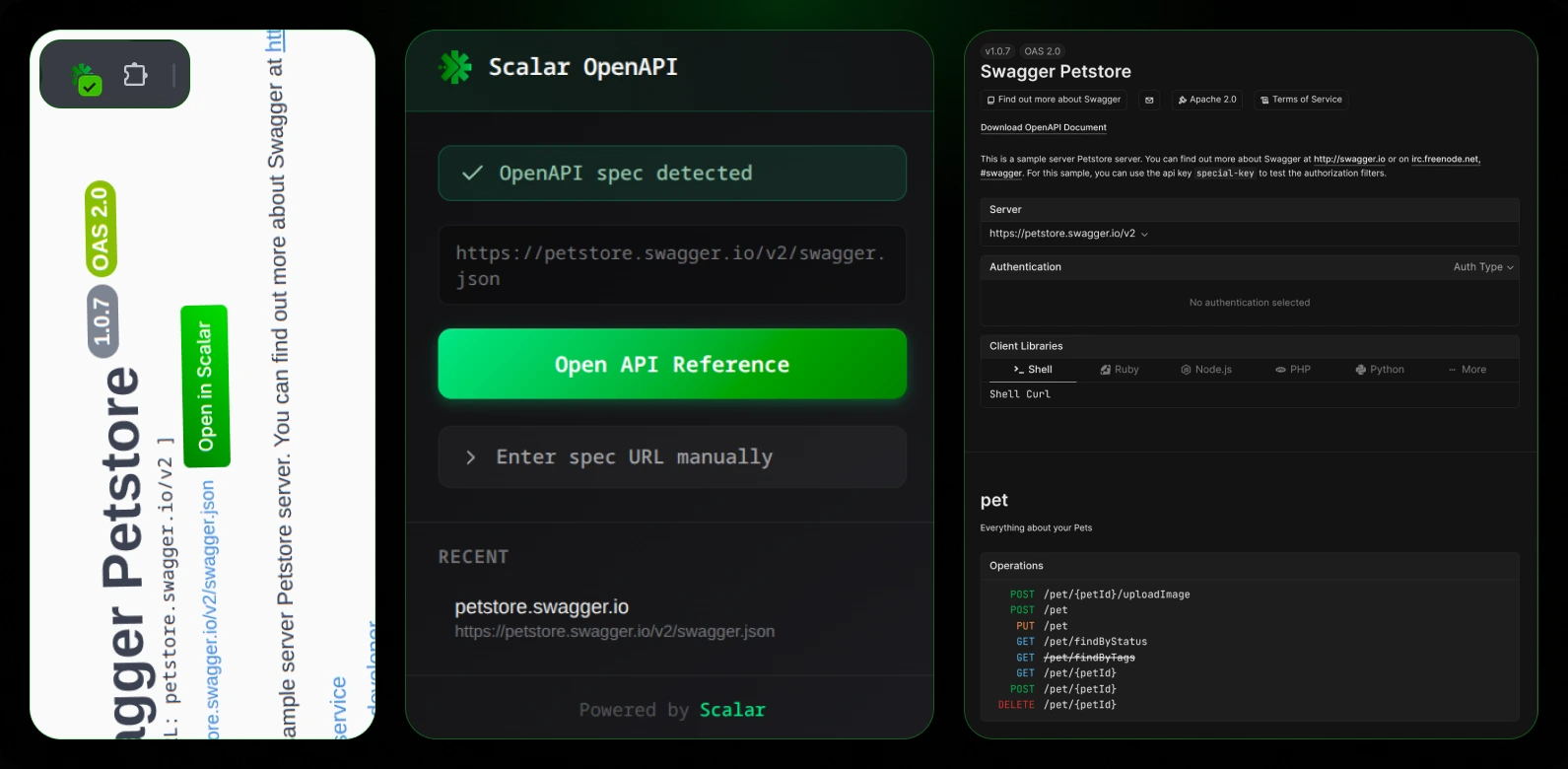
Features
- Link Detection: Finds
swagger.jsonlinks on any webpage and adds an “Open in Scalar” button next to them - Popup Status: Shows whether the current page has an OpenAPI spec available
- Manual URL Input: Enter any OpenAPI spec URL directly from the popup
- Beautiful Viewer: Renders API documentation using Scalar’s modern interface with sidebar navigation, request examples, and more
How It Works
- Content Script scans pages for links ending in
swagger.jsonand injects “Open in Scalar” buttons - Popup displays detection status and provides quick access to the viewer
- Viewer opens in a new tab and renders the OpenAPI spec with Scalar’s API Reference
Installation
From GitHub Releases
- Download the latest release from the releases page
- Extract the zip file
- Open Chrome and navigate to
chrome://extensions/ - Enable Developer Mode (toggle in top right)
- Click Load unpacked and select the extracted folder
Development
# Install dependencies
npm install

# Build the extension
npm run build

# Development mode with auto-rebuild
npm run dev
Then load the dist folder in Chrome:
- Open
chrome://extensions/ - Enable “Developer mode”
- Click “Load unpacked”
- Select the
distfolder
Usage
- On API documentation pages: Look for the green “Open in Scalar” button next to
swagger.jsonlinks - Via popup: Click the extension icon to check status or enter a spec URL manually
- Direct URL: Open the viewer with any OpenAPI spec URL using the manual input
Project Structure
├── public/
│   ├── manifest.json     # Chrome extension manifest (v3)
│   └── icons/            # Extension icons
├── src/
│   ├── background.ts     # Service worker for messaging
│   ├── content.ts        # Injects buttons on web pages
│   ├── components/       # Shared React components
│   ├── lib/              # Utilities
│   ├── popup/            # Extension popup UI
│   └── viewer/           # Full-page API reference viewer
├── popup.html            # Popup entry point
└── viewer.html           # Viewer entry point
Tech Stack
- TypeScript
- React 18
- CSS Modules
- Vite
- Scalar API Reference React
License
MIT — Do whatever you want with it, but contribute back if possible.